
Launching an online store is an exciting step for any new business. But choosing the right ecommerce platform can have a lasting impact on your costs, customer experience, marketing opportunities and ability to grow.
For startups looking to build a distinctive online brand, WooCommerce offers a flexible and customisable way to sell online. Built on WordPress, it combines ecommerce functionality with a powerful content management system, giving businesses control over how their store looks, works and evolves.
But is WooCommerce the right choice for your startup? Let’s explore its key benefits, potential drawbacks and the factors worth considering before investing in a new ecommerce website.
What is WooCommerce?
WooCommerce is an open-source ecommerce platform that operates as a plugin for WordPress. It transforms a WordPress website into an online store, allowing businesses to sell physical products, digital downloads, subscriptions and more.
Unlike a fully hosted ecommerce service, WooCommerce gives you greater choice over your hosting, website design, extensions and technical setup. You can start with a relatively simple store and introduce additional functionality as your business develops.
Its open-source nature also means you’re not restricted to a single standard storefront design. With the right design and development expertise, your website can reflect your brand, meet your customers’ needs and support your commercial objectives.
1. Start with a more flexible ecommerce budget
Getting a new business off the ground requires careful financial planning. The good news is that the core WooCommerce software is free to use, with no additional WooCommerce platform transaction fee on top of your payment provider’s charges.
However, free software doesn’t mean a free online store. You’ll still need to budget for hosting, a domain, website design, development, payment processing, security, maintenance and any premium themes or extensions you require.
The advantage is flexibility. You can prioritise the features that matter most to your business rather than paying for functionality you don’t need.
For a startup, a well-planned WooCommerce website can provide a practical foundation for growth, provided the total cost of ownership is understood from the outset.
2. Create a store that reflects your brand
Your ecommerce website is often one of the first places potential customers encounter your business. A generic shopping experience can make it harder to communicate what makes your brand different.
WooCommerce allows extensive customisation of your storefront, product pages, navigation, checkout experience and wider website design.
This means you can build an experience around your products and customers rather than forcing your business into a rigid template.
Whether you’re launching a specialist fashion label, a homeware brand or a business-to-business ecommerce operation, the website can be designed to reflect your identity and support the way your customers prefer to shop.
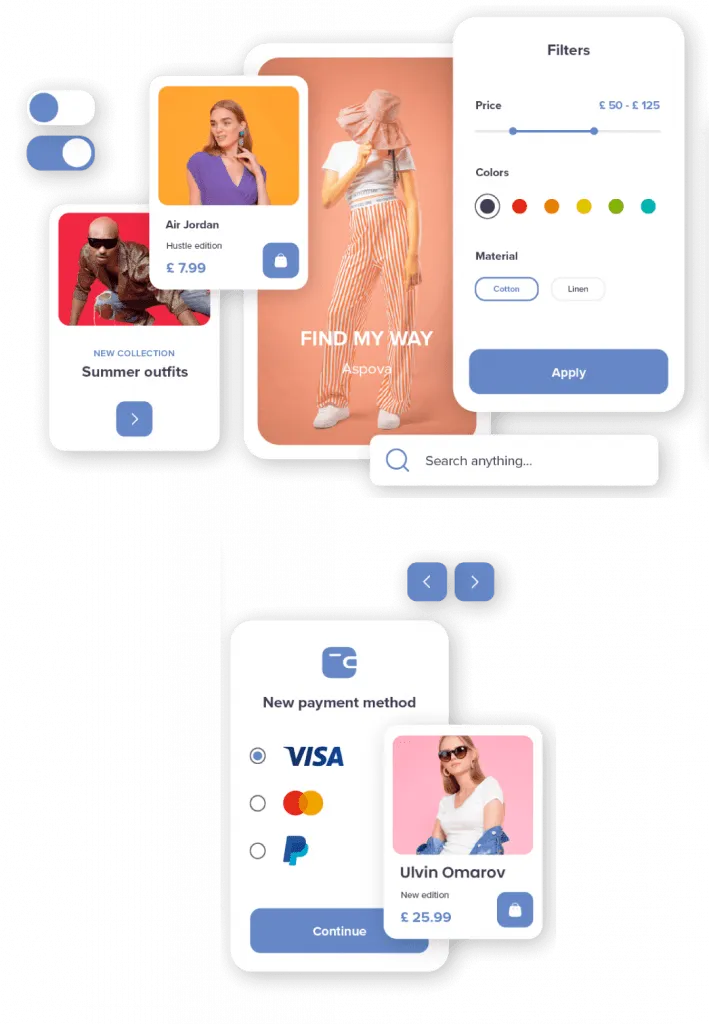
Good ecommerce design goes beyond appearance. Clear navigation, persuasive product information, intuitive filtering and a straightforward checkout can all help remove barriers to purchase.
3. Build your store around the way you sell
Not every ecommerce business operates in the same way. Some sell a small collection of products, while others need complex product variations, bundles, subscriptions or wholesale pricing.
WooCommerce supports a broad range of selling models and can be extended through additional plugins and integrations.
Depending on your requirements, your store could include:
- Physical products and digital downloads.
- Product variations, bundles and configurable options.
- Subscription products and recurring payments.
- Discount codes, promotional pricing and related product recommendations.
- Shipping rules and delivery options.
- Customer accounts and selected business-to-business features.
- Integrations with payment, inventory, fulfilment and marketing systems.
The important consideration is to choose functionality that solves a genuine business need. Installing too many plugins can increase costs, complicate maintenance and introduce compatibility or performance issues.
A well-planned WooCommerce build should provide the features you need today while allowing room for future improvements.
4. Combine ecommerce with content marketing and SEO
Attracting visitors is one of the biggest challenges for a new online store. Even an excellent product range will struggle to generate sales if potential customers cannot discover it.
One advantage of WooCommerce is its connection to WordPress, which provides a strong foundation for publishing content alongside your products.
You can create buying guides, product comparisons, helpful articles and category content that address the questions your customers ask before making a purchase.
A considered ecommerce SEO strategy can also improve how your product pages, category pages and supporting content are discovered by search engines.
Important elements include:
- Clear product and category page structures.
- Descriptive page titles and meta descriptions.
- Useful product information and original content.
- Logical internal links between articles, categories and products.
- Fast-loading pages and a good mobile experience.
- Appropriate structured data to help search engines interpret your content.
There are no guarantees of rankings or traffic, and installing an SEO plugin alone won’t deliver results. Sustainable organic growth requires useful content, technical optimisation, a strong user experience and ongoing work.
It’s also worth making content clear and well structured so that search engines and AI-powered discovery tools can more easily understand your products and expertise.
5. Integrate the tools your business needs
An ecommerce website rarely operates in isolation. As your business grows, you may need to connect your store to email marketing, customer relationship management, stock management, accounting, shipping or analytics systems.
WooCommerce’s extension ecosystem and APIs provide options for connecting a store to a wider technology stack.
For example, an email marketing integration can help you build a mailing list and communicate with customers. Analytics can help you understand how people find your website and where they leave the buying journey. Inventory integrations can reduce the need for manual updates.
The right integrations depend on your business model, existing systems and budget. Before committing to a plugin or third-party service, check its ongoing costs, compatibility, support and ability to handle your requirements.
6. Grow without committing to a complete redesign
A startup’s needs can change quickly. A store that begins with a handful of products may eventually require thousands of SKUs, new sales channels, international shipping or more sophisticated integrations.
WooCommerce can support substantial growth, but scalability isn’t automatic. Performance depends on factors such as hosting infrastructure, caching, database efficiency, image optimisation, code quality and the number and quality of extensions in use.
Planning for growth from the beginning can help you avoid expensive technical problems later.
That doesn’t mean building every possible feature on day one. A more effective approach is to create a robust foundation, prioritise the functionality that delivers value now, and develop a roadmap for future improvements.
With the right technical architecture and ongoing maintenance, a WooCommerce store can evolve alongside your business.
7. Maintain greater control over your website and data
Because WooCommerce is open source and runs on WordPress, businesses have considerable control over their website, code, hosting arrangements and store data.
This flexibility can be valuable if you want to customise your technology, connect specialist systems or retain greater control over your digital infrastructure.
However, greater control also brings responsibility. Your business or its development partner needs to manage software updates, backups, security, hosting and ongoing compatibility.
It’s also important to understand that migrating to another platform is never entirely effortless. Product data, customer records, order history, integrations, URLs and functionality all need careful consideration.
A well-managed WooCommerce store should include appropriate backups, security measures and a clear maintenance plan.

Is WooCommerce better than Shopify for a startup?
WooCommerce and Shopify are both capable ecommerce platforms, but they suit different requirements.
WooCommerce may be a strong fit if you want extensive customisation, close integration with WordPress content, control over hosting and greater freedom to shape your technical setup.
Shopify may be more suitable if you prefer a managed platform that handles much of the underlying hosting and infrastructure, with a more centralised approach to store administration.
Neither option is automatically cheaper, easier or better for every business. WooCommerce can require more technical oversight, while Shopify’s subscription, app and other operating costs need to be considered as part of the overall budget.
Before choosing, compare the platforms against your products, sales model, design ambitions, internal resources, integrations and expected growth.
The right choice is the one that supports your business objectives without introducing unnecessary cost or complexity.
Is WooCommerce right for your ecommerce startup?
WooCommerce is worth considering if you want a customisable online store, control over your website and the freedom to build your ecommerce and content marketing around a shared platform.
It can be particularly attractive to businesses that want a distinctive brand experience, need specialist functionality or plan to invest in organic search and content-led marketing.
However, if your priority is to launch quickly with minimal technical management, a hosted platform may be a better fit. The decision should be based on your requirements rather than the popularity of any particular technology.
Before you start, define your budget, product catalogue, customer journey, integrations and marketing priorities. A clear plan will help you choose the right platform and avoid costly decisions later.
Build a WooCommerce store designed for growth
At FDRY, we design and develop ecommerce websites that bring brand, user experience and technology together. Our team helps businesses plan and build WooCommerce stores around their products, customers and commercial objectives.