Great digital experiences don’t happen by accident. Behind every well-designed website, intuitive interface or engaging digital product is a process that turns ideas into something people can understand, navigate and use.
At FDRY, our design process combines creative thinking, user experience planning, visual design and prototyping. The tools we use help us collaborate with clients, explore ideas, test concepts and prepare designs for development.
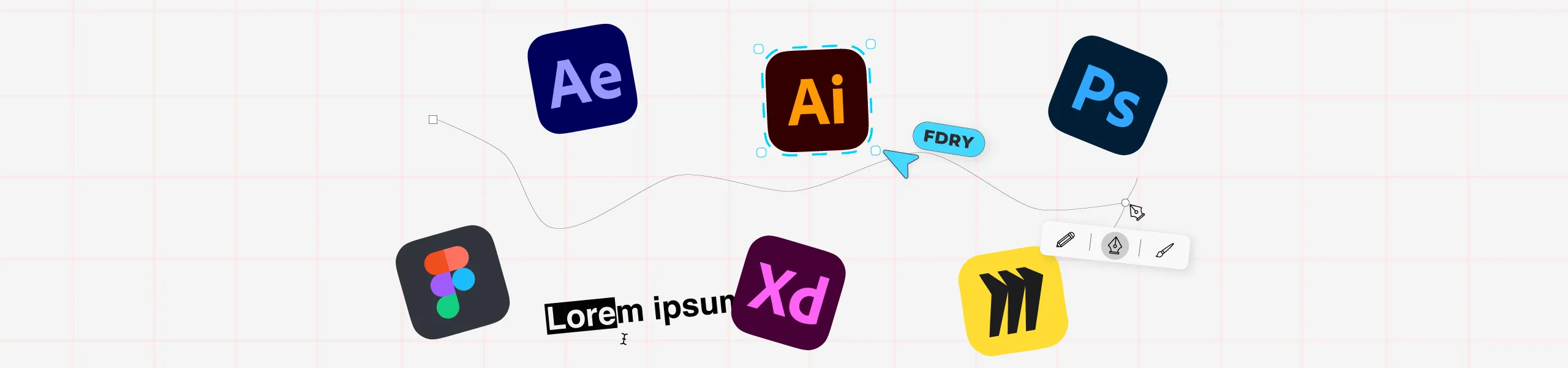
Here’s a look at the platforms in our UI toolkit, the role each one plays and how they help us create better digital experiences.
Miro: Turning ideas into clear plans
Before designing screens, it’s important to understand the problem we’re trying to solve. What does the business need to achieve? Who is the audience? What information do users need, and how should they move through the experience?
Miro gives us a collaborative visual space to explore these questions. Its digital whiteboard is useful for workshops, brainstorming sessions, customer journey mapping and early-stage planning.
How we use Miro:
- Map user journeys and website structures.
- Organise research, requirements and workshop findings.
- Explore ideas with clients and project teams.
- Create early wireframes and visual process diagrams.
- Identify gaps or questions before design and development begin.
This early planning helps bring structure to a project before time is invested in detailed design. It also gives stakeholders an opportunity to contribute and agree on the direction.
Figma: Bringing UI/UX design to life
Figma is a central tool for designing digital interfaces and creating interactive prototypes. It allows designers to work with reusable components, shared libraries and collaborative design files.
For website and ecommerce projects, this means we can explore layouts, develop visual systems and demonstrate how an experience might work before committing to development.
How we use Figma:
- Design website pages and responsive layouts.
- Create interactive prototypes to demonstrate user journeys.
- Build reusable components and consistent design systems.
- Share work with clients for review and feedback.
- Collaborate with developers to support implementation.
Prototypes are particularly valuable because a design can look convincing as a static image but behave differently when someone tries to use it. Demonstrating interactions helps stakeholders assess navigation, calls to action and page flows earlier in the process.
For ecommerce websites, this can include exploring product listing pages, product details, filtering, navigation and the steps a customer takes towards checkout.
The goal isn’t simply to make a website look good. It’s to create a coherent experience that supports users and the commercial objectives of the business.
Adobe Photoshop: Creating and refining visual assets
Strong digital design depends on the quality and consistency of its visual assets. Photography, imagery, textures and graphics all contribute to how a brand is perceived online.
Adobe Photoshop helps us edit and prepare visual content for use in website designs and digital campaigns.
How we use Photoshop:
- Retouch and optimise photography.
- Prepare product and lifestyle imagery for digital layouts.
- Create and refine graphics for website pages.
- Develop visual concepts and campaign assets.
- Ensure imagery works within the wider design direction.
Image selection and treatment can have a significant effect on the overall experience, particularly for ecommerce brands. Product photography needs to communicate quality and detail, while lifestyle imagery can help customers understand how a product fits into their lives.
The important consideration is how each asset supports the message, brand and purpose of the page.
Adobe After Effects: Adding motion with purpose
Motion can help explain an interaction, communicate an idea or bring a brand to life. Used well, it gives digital experiences an additional layer of clarity and personality.
Adobe After Effects supports the creation of animations, motion graphics and visual sequences that can be explored during the design process and developed into suitable digital assets.
How we use After Effects:
- Explore animation concepts and transitions.
- Create motion graphics for digital campaigns.
- Develop animated brand elements and explainers.
- Demonstrate potential motion treatments for digital interfaces.
- Prepare visual references for implementation by developers.
Motion should always have a reason to be there. An animation that clarifies a change of state or draws attention to useful information can improve an experience. Unnecessary movement, however, can distract users, affect accessibility or add performance overhead.
We consider the purpose of the animation, its implementation and the needs of the audience before deciding how it should be used.
Adobe Creative Cloud: Supporting the wider design process
Different design tasks call for different capabilities. Photoshop is useful for image work, while other creative applications can support illustration, graphics, video and motion.
The wider Adobe Creative Cloud ecosystem provides tools that can complement interface design, depending on the requirements of a project.
Our approach is to select the right tool for the job rather than force every task into one application. The design process should be shaped by the project, the team and the intended outcome.
What about Adobe XD?
Adobe XD was developed for interface design and interactive prototyping, and some teams may still use it for existing projects. However, Adobe confirms that XD is in maintenance mode and is not receiving ongoing feature development. For new UI/UX workflows, it is important to consider the long-term suitability of the tools being selected.
The choice of platform should reflect current project needs, collaboration requirements and how designs will be maintained and developed over time.
How our design tools work together
The value of a design toolkit comes from how the tools support the process as a whole, not from the number of applications involved.
A typical website design project might follow these stages:
1. Discover and define
We establish business objectives, audience needs, project requirements and success criteria. Workshops and collaborative planning help turn information into a clear direction.
2. Structure the experience
We map key user journeys, organise content and explore page structures. Wireframes help establish hierarchy and functionality before visual details are finalised.
3. Design the interface
We develop layouts, typography, colours, imagery and reusable components that reflect the brand and support the user journey.
4. Prototype and review
We demonstrate key interactions and gather feedback. This gives stakeholders an opportunity to review the experience and identify changes before development progresses.
5. Prepare for development
We refine the agreed designs, document important behaviours and provide developers with the information needed to build the experience accurately.
6. Test and improve
Once the website is implemented, we review it across relevant devices and screen sizes. Where appropriate, analytics and user feedback can inform further improvements.
Not every project follows exactly the same sequence. The process should adapt to the project’s scale, complexity, budget and delivery requirements.
Why the design process matters more than the tools
The software used to design a website is only one part of the equation. Good results depend on understanding the audience, making informed decisions and connecting design choices to real business needs.
A well-structured design process can help businesses:
- Establish a clearer direction before development begins.
- Align stakeholders around a shared vision.
- Identify usability issues earlier.
- Maintain visual consistency across pages and devices.
- Give developers a clearer basis for implementation.
- Create experiences that support customer journeys and business goals.
Tools can make collaboration easier, but they cannot replace good judgement, user research or a clear understanding of what the website needs to achieve.
Designing better digital experiences with FDRY
At FDRY, we combine creative thinking, UI/UX design and website development to create digital experiences that work for both businesses and their customers.
Whether you’re planning a new website, redesigning an existing experience or developing an ecommerce store, we can help translate your objectives into a considered design and a practical development plan.
Explore our UI/UX design services or website design services to see how we can help with your next project.